Practice Room Beta 1
September 6, 2026

We are very happy to announce our first test release Beta 1 of Practice Room, available for Android and iOS, and later to include Chromebook, iPad, and Desktop devices.
Musicians of any genre, instrument and level as well as music teachers are invited to test this first release.
Practice Room is the space for musicians to practice using proven learning methodologies – one place to find material, work at a passage, play along, record the attempt, communicate with a teacher, and share the content.
Also, one of the main goals of this app is to create a platform for teachers to find and meet students for online lessons, enabling them to work together. Teachers will be able to present their profiles and material created specially for Practice Room, and students will be able to contact them and schedule interactive lessons.
Welcome to test Beta 1
Beta 1 still has limited functionality. Our aim is to first ensure stability. This test version is only available for a small group of teachers and students.
Feedback from you as a tester is highly welcome. What you find in this version is the ability to build your personal media library across your devices, create and edit segments of a recording, set repetitions and pauses, slow a passage down, and share a piece together with its segments.
The first main functionalities
Your own media library
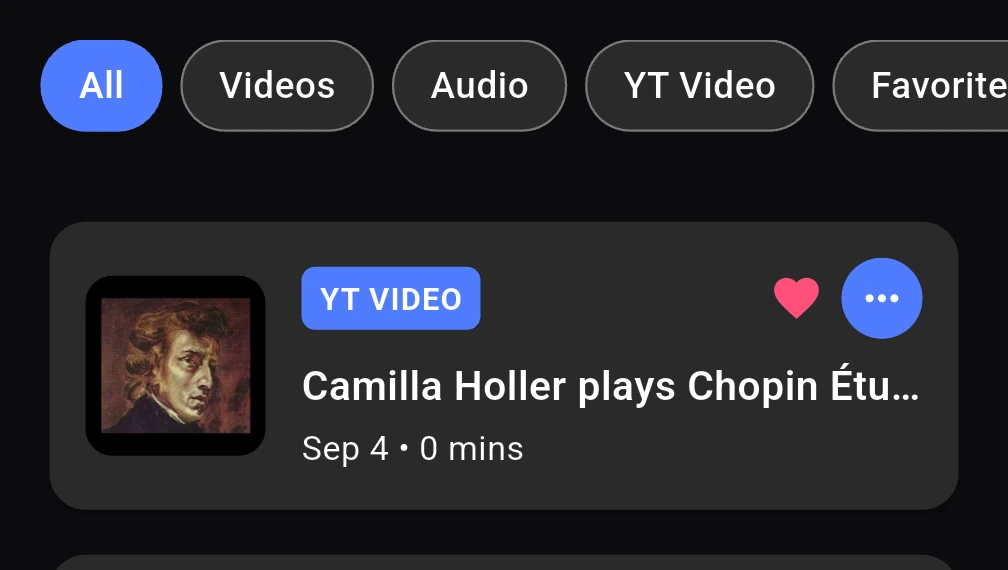
Collect media from many sources – video and audio on your device, and videos from YouTube. Give them your own names, sort and filter them as you like. Share a YouTube video into the app from anywhere on your phone, or enter the video link from inside the app.
Segments, repetitions and pauses
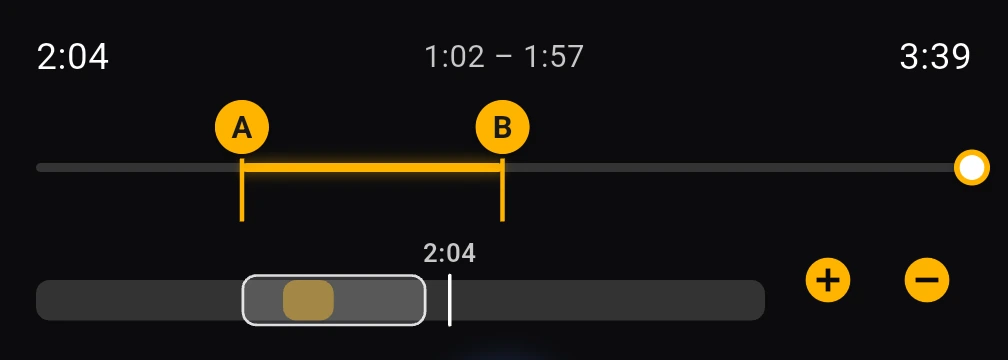
Listen to and watch media items, and create and save segments, also called loops, marking the beginning (A) and the end (B) of the segment. Once a segment is defined you may rename it, fine-tune its beginning and end, define how many times it shall repeat, how long the pause shall be at the end of each loop, and how the app shall behave once everything has played.
The video player
The video player has enhanced functionality. You can zoom in and out for longer media, move backward and forward in user-defined intervals, go directly to your A or B markers, slow down or speed up the playing, change pitch (only Android for now), visit the original YouTube page directly (YouTube videos only), or switch between portrait and landscape format.

The philosophy of Practice Room
The idea behind Practice Room is to create an international platform using learning techniques that have proven to be effective and that help students and teachers achieve their aims.
- Slow practice combined with medium and fast tempi for short passages is one of the learning techniques used in music and dance education. It is possible to slow down the playing of a piece technically, but the quality is poor and not musically acceptable. We therefore support recording a piece not only at the intended tempo, but also very slowly and at a medium tempo, and using fragments of it for practice. Such lessons may be created by the teacher and student for themselves, or offered as downloadable sessions.
- Practice with deliberate pauses after engagement allows the brain to settle what was learned. Studies have shown that groups of students pausing after short learning phases can significantly improve long-term memory for such passages.
- Recording short passages of oneself, breathing and posture techniques including deep relaxation, mnemonic skills, training for focused listening and interval recognition, learning and reading musical notation, identifying chords and rhythms, support through programmable metronomes – many areas require attention and support for your practice sessions to become joyful and targeted. Practice Room is an app to support and achieve all this.
- Learning improves when practice becomes deliberate: focused on a clear goal, varied in method, evaluated through attentive listening, and revisited over time.
Practice Room for Non-Musicians
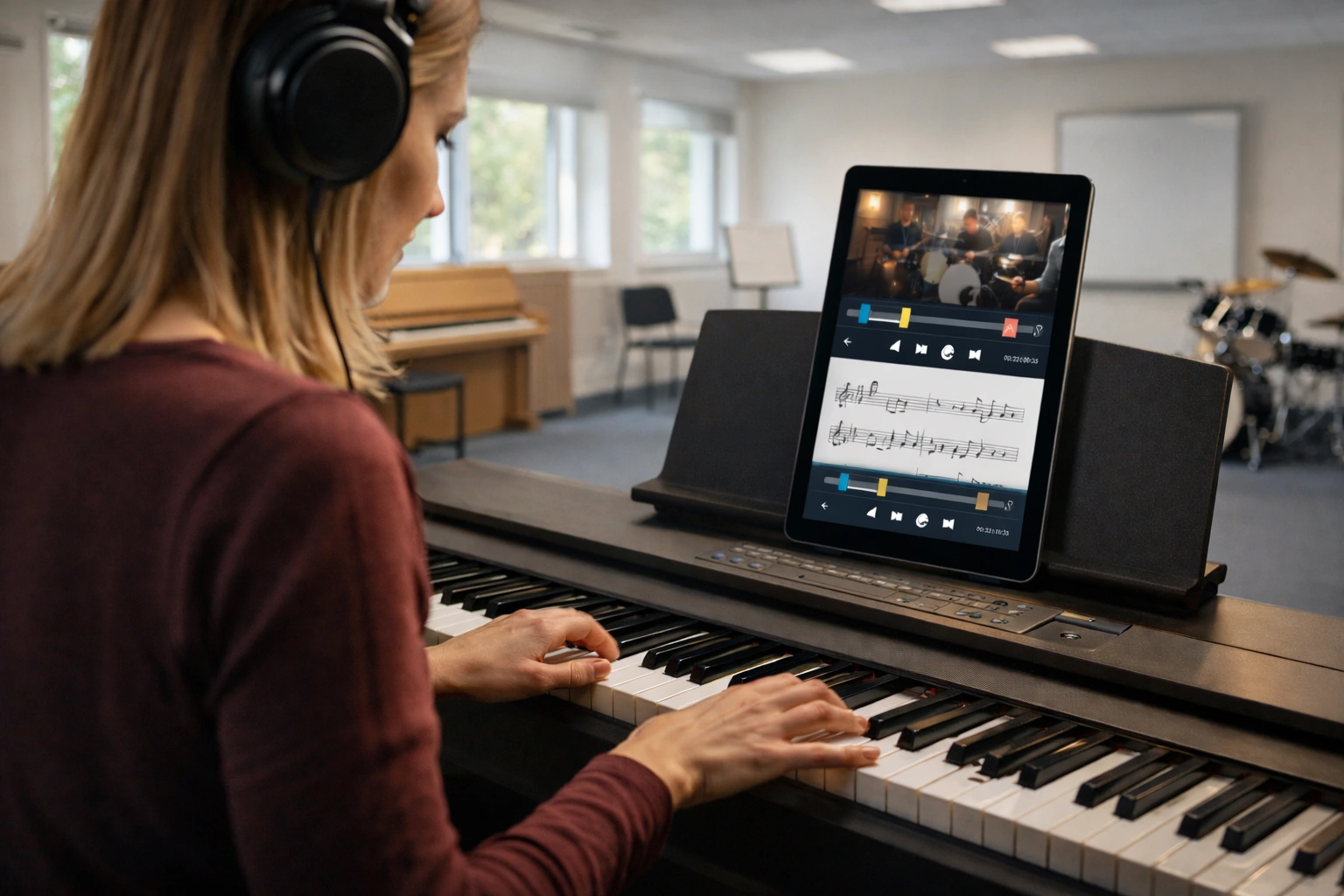
As a learning and practicing app, Practice Room is also an ideal place to structure language lessons or to learn any other subject, because it allows you to create repetitions of material with added pauses, based on the well-supported observation that learning with defined pauses greatly supports the retention of the material and enhances the pathway to long-term memory.
Imagine that you are learning French. Important for learning are short phrases that can be retained in short-term memory before finding their way into long-term memory, some vocabulary every day, some real-life scenes, native speakers with perfect intonation, and your time spent in the car or train. Time is used in a productive way.
What works today, what is in progress
Some parts are visible but not yet active, so that the shape of the whole app can be seen. If something does not react, it is most likely one of these and not a fault.
| Feature | Detail |
|---|---|
| Media library | Local audio and video, YouTube links, media shared in from other apps |
| YouTube search | From inside the app |
| Organizing | Your own names and notes, search, sort, filter, groups, favorites |
| Segments | A and B points, timeline, scrubber, direct timecode entry |
| Timeline zoom | For finding short passages in long recordings |
| Repetitions | How often a segment repeats |
| Pauses | After each repetition, and after the complete set |
| Segment series | Several segments from one recording, with breaks |
| Playback speed | All media |
| Pitch | Android only, and only for audio files stored on your device |
| Sharing | Send a piece together with its segments to another person |
| Tester feedback | A page inside the app; feedback can be spoken instead of typed |
| Appearance | Light and dark |
| Account | Sign in with email, Google or Apple; change password; delete account |
| Feature | Detail |
|---|---|
| Online Sessions | Home screen |
| Import from cloud | Add media screen |
| Language selection | Settings |
| Upgrade to Pro | Settings |
| Send Feedback | Settings – the separate Give Tester Feedback item does work |
| Help and Tips | Settings |
| About | Settings |
| Pitch control on iPhone | Appears for local audio files, but has no effect |
| Feature | Detail |
|---|---|
| Chromebook, iPad and Desktop | Beta 1 runs on Android and iOS phones |
| Playlists across recordings | Combining segments from several different pieces |
| Teacher and student spaces | Profiles, shared material and assignments |
| Online lessons | Held inside Practice Room, with scheduling |
| Sheet music | Beside the recording, with your annotations and page turning |
| Programmable metronome | Tempo ladders, pauses, saved programmes |
| Recording yourself | And comparing takes with a teacher demonstration or an earlier attempt |
| Session notes | And a practice history |
| Hands-free control | Voice, Bluetooth pedal, smartwatch |
How to use Practice Room
A short walk through the app, step by step. This manual is still being written.
What we ask of you now
Stability matters more to us now than any single function. An app that crashes or loses a segment is of no use.
Please use Practice Room for one or two real practice sessions with music you are working on, and tell us above all whether it held together – whether anything crashed, froze, lost your work, or behaved differently the second time. You do not need to test everything. There is a feedback page inside the app, and you can speak your feedback instead of typing it.
You can also write to us directly: info@practice-room.org
Bibliography
- Bönstrup, M., Iturrate, I., Thompson, R., Cruciani, G., Censor, N., & Cohen, L. G. (2019). A rapid form of offline consolidation in skill learning. Current Biology, 29(8), 1346–1351.e4. https://doi.org/10.1016/j.cub.2019.02.049
- Bönstrup, M., Iturrate, I., Hebart, M. N., Censor, N., & Cohen, L. G. (2020). Mechanisms of offline motor learning at a microscale of seconds in large-scale crowdsourced data. npj Science of Learning, 5, Article 7. https://doi.org/10.1038/s41539-020-0066-9
- Buch, E. R., Claudino, L., Quentin, R., Bönstrup, M., & Cohen, L. G. (2021). Consolidation of human skill linked to waking hippocampo-neocortical replay. Cell Reports, 35(10), Article 109193. https://doi.org/10.1016/j.celrep.2021.109193
- Carter, C. E., & Grahn, J. A. (2016). Optimizing music learning: Exploring how blocked and interleaved practice schedules affect advanced performance. Frontiers in Psychology, 7, Article 1251. https://doi.org/10.3389/fpsyg.2016.01251
- Chaffin, R., & Imreh, G. (2002). Practicing perfection: Piano performance as expert memory. Psychological Science, 13(4), 342–349. https://doi.org/10.1111/j.0956-7976.2002.00462.x
- Chaffin, R., Logan, T. R., & Begosh, K. T. (2007). Learning Clair de Lune: Retrieval practice and expert memorization. Music Perception, 24(4), 377–393. https://doi.org/10.1525/mp.2007.24.4.377
- Das, A., Karagiorgis, A., Diedrichsen, J., Stenner, M.-P., & Azañón, E. (2025). Micro-offline gains do not reflect offline learning during early motor skill acquisition in humans. Proceedings of the National Academy of Sciences, 122(44), Article e2509233122. https://doi.org/10.1073/pnas.2509233122
- Duke, R. A., Simmons, A. L., & Cash, C. D. (2009). It's not how much; it's how: Characteristics of practice behavior and retention of performance skills. Journal of Research in Music Education, 56(4), 310–321. https://doi.org/10.1177/0022429408328851
- Furuya, S., Nakamura, A., & Nagata, N. (2013). Transfer of piano practice in fast performance of skilled finger movements. BMC Neuroscience, 14, Article 133. https://doi.org/10.1186/1471-2202-14-133
- Gebrian, M. (2024). The fastest way to learn music: Take more breaks. In Learn Faster, Perform Better: A Musician's Guide to the Neuroscience of Practicing (pp. 47–58). Oxford University Press. https://doi.org/10.1093/oso/9780197680063.003.0005 [Secondary literature]
- Gebrian, M. (2024). Learn Faster, Perform Better: A Musician's Guide to the Neuroscience of Practicing. Oxford University Press. https://doi.org/10.1093/oso/9780197680063.001.0001 [Secondary literature]
- Iorio, C., Brattico, E., Munk Larsen, F., Vuust, P., & Bonetti, L. (2022). The effect of mental practice on music memorization. Psychology of Music, 50(1), 230–244. https://doi.org/10.1177/0305735621995234
- Miksza, P. (2015). The effect of self-regulation instruction on the performance achievement, musical self-efficacy, and practicing of advanced wind players. Psychology of Music, 43(2), 219–243. https://doi.org/10.1177/0305735613500832
- Nusseck, M., Wild, F., Sischka, C., & Spahn, C. (2025). Effects of audio feedback interventions with the Disklavier on the performance of piano students. Frontiers in Psychology, 16, Article 1568021. https://doi.org/10.3389/fpsyg.2025.1568021
- Simmons, A. L. (2012). Distributed practice and procedural memory consolidation in musicians' skill learning. Journal of Research in Music Education, 59(4), 357–368. https://doi.org/10.1177/0022429411424798
- Simmons, A. L., & Duke, R. A. (2006). Effects of sleep on performance of a keyboard melody. Journal of Research in Music Education, 54(3), 257–269. https://doi.org/10.1177/002242940605400308
- Steenstrup, K., Haumann, N. T., Kleber, B., Camarasa, C., Vuust, P., & Petersen, B. (2021). Imagine, sing, play—Combined mental, vocal and physical practice improves musical performance. Frontiers in Psychology, 12, Article 757052. https://doi.org/10.3389/fpsyg.2021.757052
- Wiseheart, M., D'Souza, A. A., & Chae, J. (2017). Lack of spacing effects during piano learning. PLOS ONE, 12(8), Article e0182986. https://doi.org/10.1371/journal.pone.0182986